
If you’ve spent any time around anime action RPGs in the last year, you’ve probably seen Soul Land: Awakening World pop up — spirit-master combat, a huge roster of familiar faces, and a combat system that actually rewards timing instead of just tapping faster than the other guy. Good news: getting it running on PC takes about five minutes, and you don’t need to touch a single sketchy download site to do it.
Here’s the exact path, plus what’s actually worth knowing before you install.
What Soul Land: Awakening World actually is
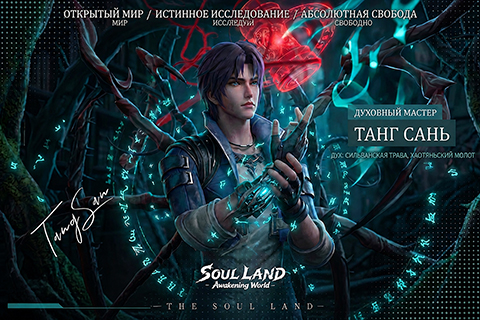
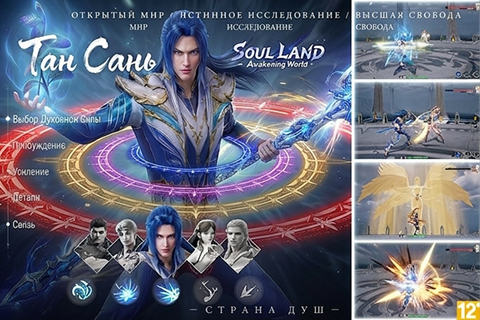
Awakening World is a full 3D open-world MMORPG built on the Soul Land universe — the same world of spirit masters, soul beasts, and martial-arts-meets-fantasy combat that made the original Soul Land (Douluo Dalu) franchise a hit in print, animation, and mobile form. On PC that translates to bigger battles on screen, sharper visuals than a phone can push, and real-time combat with dodges, aerial moves, and skill combos rather than auto-battle.
You don’t need any background with the franchise to pick it up — new-player systems introduce the cast and the core spirit-master mechanics as you go.

System requirements
Nothing demanding here — this runs comfortably on most PCs built in the last several years. Official specs, straight from the game’s listing:
| Minimum | Recommended | |
|---|---|---|
| OS | 64-bit Windows | 64-bit Windows |
| CPU | x64 or x86 architecture | x64 or x86 architecture |
| RAM | 12 GB | 16 GB |
| GPU | Any dedicated or integrated card | RTX 2060 or equivalent |
| Storage | 20 GB free | 20 GB free |
If you’re on the minimum end and want to know what frame rate to actually expect, our FPS Calculator will give you a rough number before you install anything.
Step 1: Start the official download
Use the button below — it routes through our affiliate partner straight to the game’s own official PC download page. There’s no third-party installer wrapped around it and nothing to configure first.
Step 2: Install and create your account
Run the downloaded installer and let it finish — the client is a few gigabytes, so a stable connection matters more than a fast one. On first launch you’ll be asked to create or link an account; use an email you actually check, since that’s how you’ll recover progress later if you ever switch devices.
Step 3: Get through your first login
This part matters more than it sounds like: your first login is when the game actually sets up your profile and starter rewards. Don’t close the client mid-download or mid-install — if the process gets interrupted, the cleanest fix is usually to verify/repair through the launcher rather than reinstalling from scratch.
What to expect in your first hour
The opening stretch is mostly onboarding — the game walks you through spirit acquisition, your first combat skills, and the basic UI before it opens up. A few things worth knowing going in:
- Combat rewards positioning, not just power. Even early on, dodging and skill timing matter more than raw stats.
- The character roster is deep. You’ll unlock and grow a team over time rather than being locked into one build.
- Settings are worth a quick pass. Graphics quality defaults conservatively on most PCs — bump it up once you’re in if your hardware can handle it, and see our FPS Calculator if you’re not sure what your rig can push.
Getting comfortable for longer sessions
Action combat with a lot of skill inputs is exactly the kind of game where your mouse and keyboard start to matter. If you’re playing on a sluggish stock mouse or a mushy keyboard, it’s worth a look at what actually makes a difference — see our Best Gaming Mouse and Best Gaming Keyboard guides, or check the recommendations below.
Ready to jump in?
The install takes longer to read about than to actually do. Grab the client through the link below and you’ll be through character setup in a few minutes.
This download link is an affiliate link — see our Affiliate Disclosure for how that works. It doesn’t change anything about your download or account.